Module 2 - Session 1: Data and Model Building
Module 2 Overview
What will we learn?
- Data Pipeline → handle large datasets
- Beyond Sequential → custom architectures
- Optimizers
- Device Management
- Building an image classifier
Session 1: Data and Model Building
- Revisit the ML pipeline with a focus on PyTorch’s data handling tools
- Learn about data management at scale
- Explore building custom model architectures beyond the Sequential API
The Challenge: Large Datasets
100,000 delivery records
Problem: Loading all at once → runs out of memory
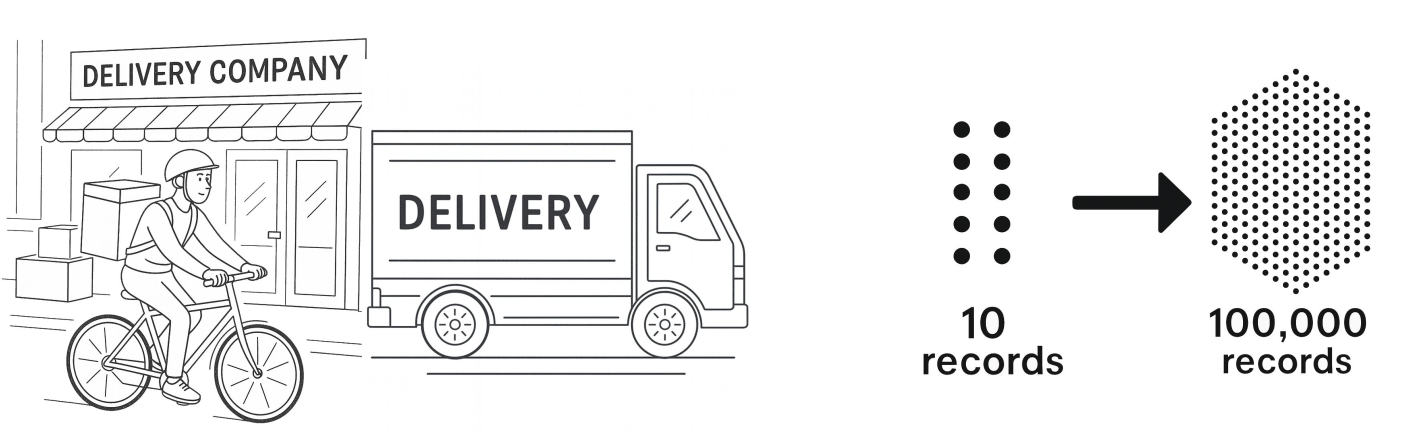
Solution: Work with data in batches
PyTorch Data Utilities
Three core tools:
- Transforms - operations on each data point
- Dataset - fetches samples from disk on demand
- DataLoader - serves data in batches
1. Transforms
ToTensor: converts to tensors, scales 0-255 → 0-1
Normalize: centers around 0, scales using standard deviation
2. Dataset
Key features:
- Fetches samples from disk when asked
- Doesn’t preload everything
- Handles where data lives, how to load samples, total count
3. DataLoader
Batch size: how many samples per batch
Shuffle: randomize order each epoch
Makes training on large datasets possible
Complete Data Pipeline
# 1. Define transforms
transform = transforms.Compose([...])

# 2. Create dataset
train_dataset = MNIST(..., transform=transform)

# 3. Create dataloader
train_loader = DataLoader(train_dataset, batch_size=64, shuffle=True)

# 4. Use in training loop
for batch in train_loader:
    images, labels = batch
# train modelBeyond Sequential: Custom Models
More control, same functionality
Calling the Model
Don’t call model.forward() directly
Do call model(input)
PyTorch handles the forward call and essential bookkeeping
Why super().__init__()?
Necessary for parameter tracking
PyTorch needs to set up a system to track all learnable parameters (weights and biases)
Without it, PyTorch has nowhere to register your layers
Training Loop Pattern
Order matters! Don’t swap these steps.
Evaluation
Two critical things:
model.eval()- sets evaluation modetorch.no_grad()- disables gradient tracking
Measuring Performance
For classification: Accuracy
Count correct predictions / total predictions
To sum up
- Data pipeline: Dataset, DataLoader, Transforms
- Model building:
nn.Module - Training loop:
for batch in dataloader: - Evaluation:
model.eval(),torch.no_grad(),accuracy
What’s Next?
In Session 2: Loss Functions and Optimizers, you learn:
- How loss functions measure error
- Cross-entropy loss for classification
- How optimizers use gradients to update weights
- Understanding backpropagation
