Day 3: Introduction to Agents

What is an Agent?

An Agent is a system that pursues a specific goal by perceiving its environment and autonomously deciding which actions to take to achieve that goal.

What You’ll Learn Today

By the end of this session, you will:

  • Define an AI Agent and its core components (Model, Tools, Orchestration)
  • Understand the 5-step “Think, Act, Observe” loop
  • Classify agents using the 5-level taxonomy
  • Recognize the importance of “Agent Ops” for production reliability

The Paradigm Shift: From Predictive to Agentic
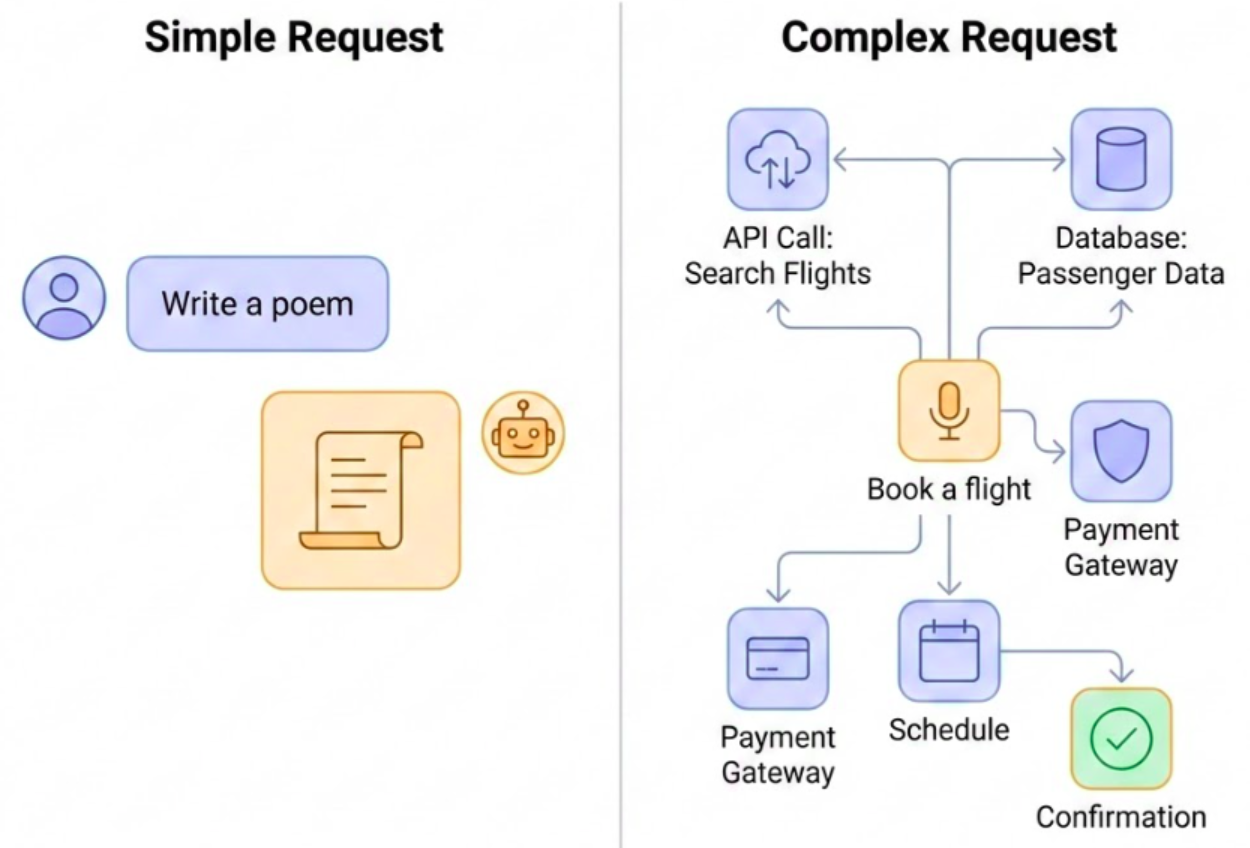
Figure 1: A new class of software

Figure 1: A new class of software
  • Predictive AI: Passive, discrete tasks (answering, translating).
  • Agentic AI: Active, goal-oriented, multi-step execution.
  • The Shift: From “User directs every step” to “User sets a goal”.

What is an AI Agent?

Agent = Model + Tools + Orchestration + Runtime
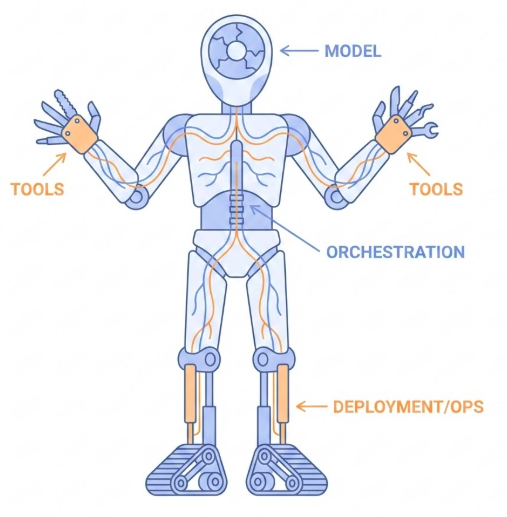
Figure 2: An anatomical diagram of an AI Agent

Figure 2: An anatomical diagram of an AI Agent

Core Architecture

The Model (Brain)

  • Selection: Not just benchmarks. Choose for reasoning and tool use.
  • Routing: Use “thinking” models for planning, “flash” models for simple tasks.
  • Multimodal: Vision/audio vs. reliable text-only pipelines.
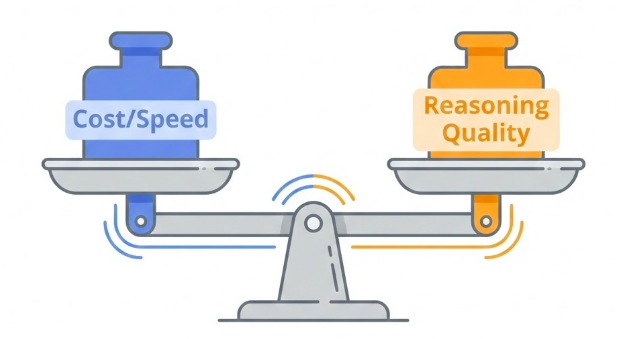
Figure 3: Tradeoff between cost/speed and reasoning quality

Figure 3: Tradeoff between cost/speed and reasoning quality

The Tools (Hands)

  • Retrieval (RAG): “Library card” for knowledge.
  • Actions: APIs, SQL execution, sending emails.
  • Function Calling: Structured contracts (OpenAPI) for reliability.
  • Human-in-the-Loop: Tools to ask the user for clarification.
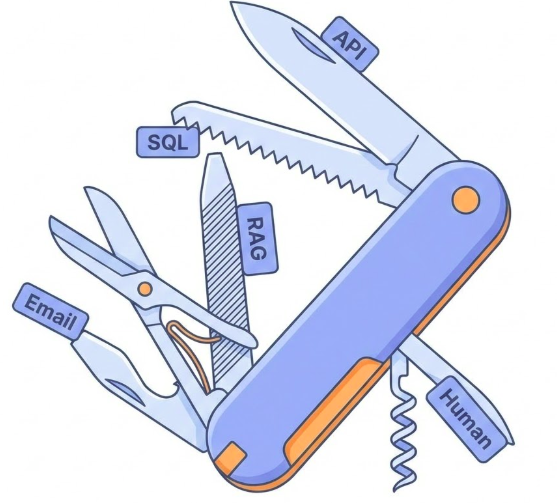
Figure 4: Agent tools as a Swiss Army knife

Figure 4: Agent tools as a Swiss Army knife

The Orchestration (Nervous System)

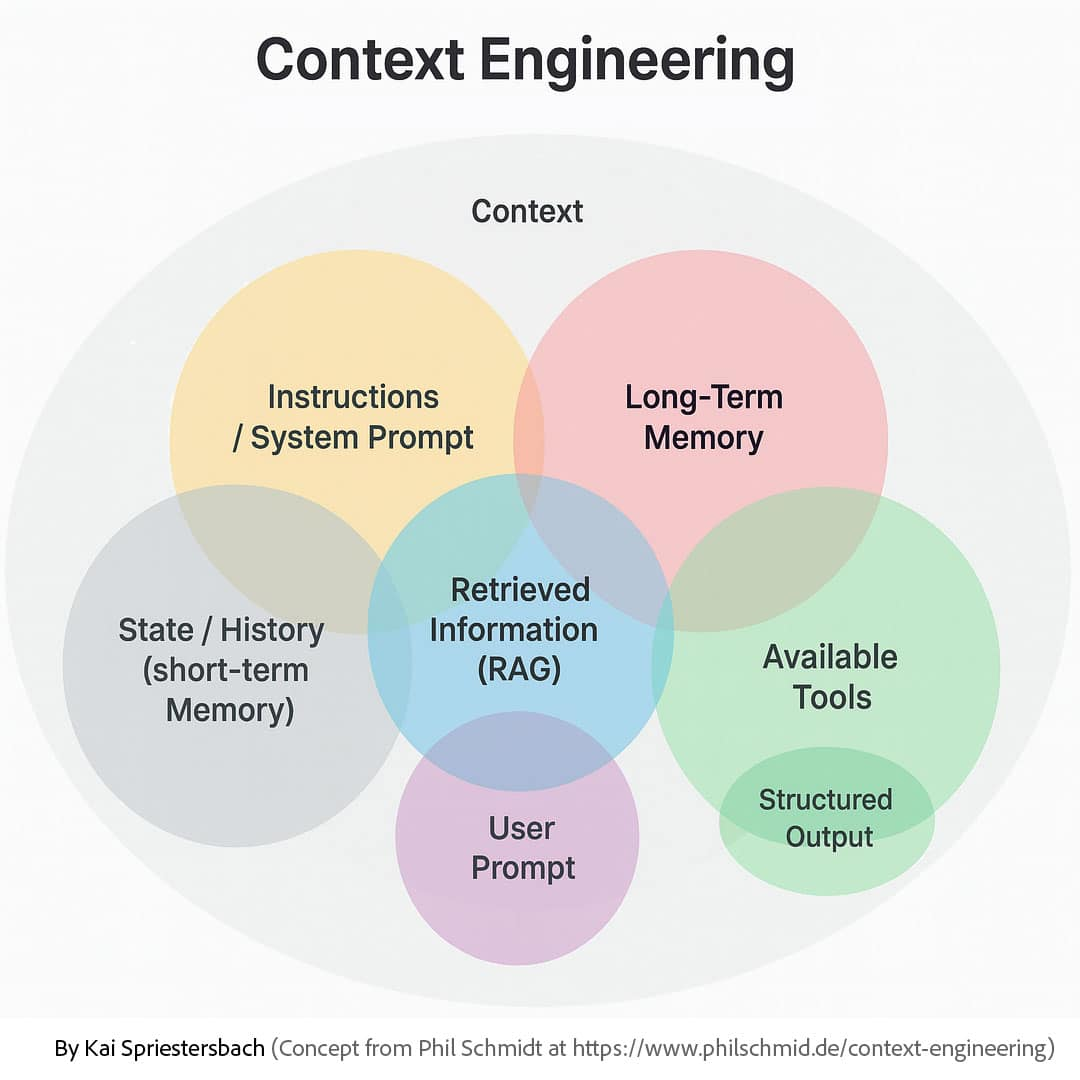
Figure 5: Context Engineering

Figure 5: Context Engineering
  • Short-term Memory: The current conversation thread.
  • Long-term Memory: Vector stores for past sessions.
  • Guardrails: Hard-coded rules (e.g., “Spend limit < $100”)

Levels of Autonomy
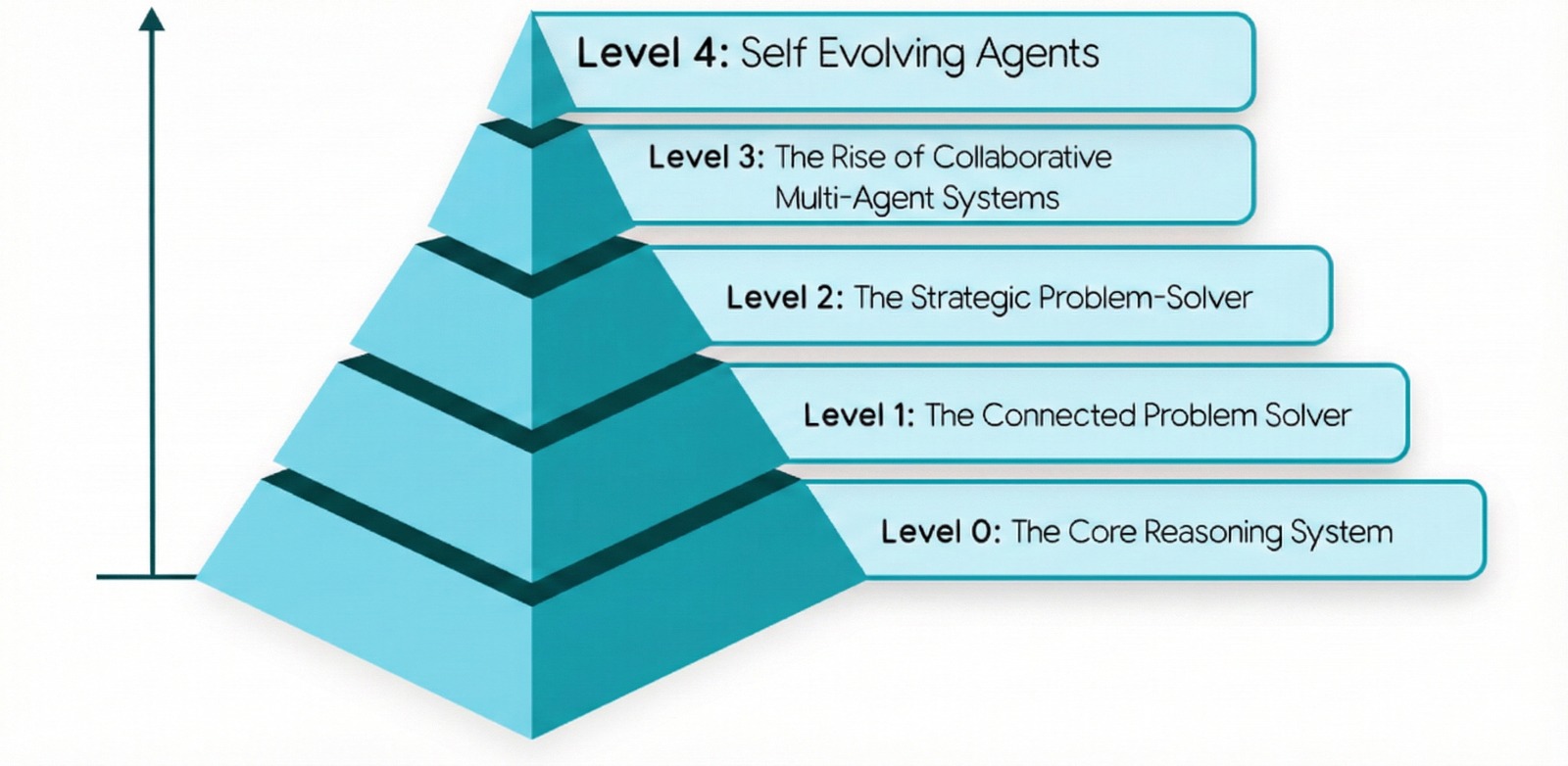
Figure 6: Agentic system in 5 levels of complexity

Figure 6: Agentic system in 5 levels of complexity

Best Practices for Tool Use

Documentation is Critical

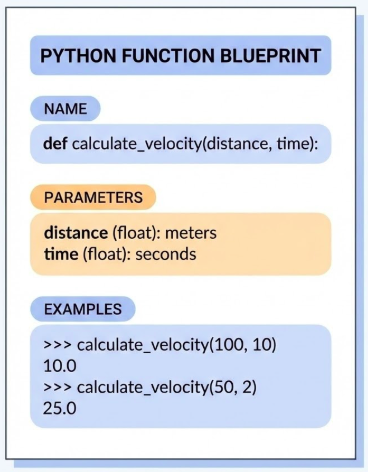
Figure 7: A blueprint document with highlighted sections for ‘Name’, ‘Parameters’, and ‘Examples’

Figure 7: A blueprint document with highlighted sections for ‘Name’, ‘Parameters’, and ‘Examples’
  • update_jira or get_data (Bad: not descriptive)
  • create_critical_bug and fetch_customer_order_history (Good: descriptive)
  • Explain type and purpose.
  • Show the model how to handle tricky cases.
  • Document default values clearly.

Describe Actions, Not Implementations
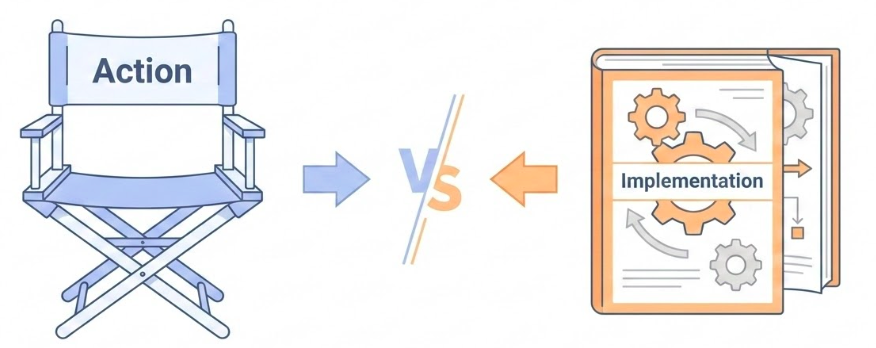
Figure 8: A director chair labeled ‘Action’ vs a mechanic’s manual labeled ‘Implementation’

Figure 8: A director chair labeled ‘Action’ vs a mechanic’s manual labeled ‘Implementation’
  • “Use the send_message tool” (Bad: dictating tool usage)
  • “Send message to John Doe” (Good: describing the action)
  • Don’t repeat tool docs in system instructions
  • Document side effects: If a tool saves a file, the agent needs to know that file exists for the next step.

Publish Tasks, Not API Calls
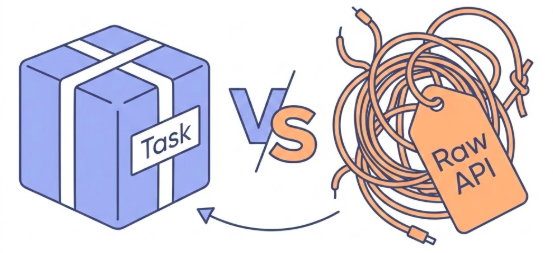
Figure 9: A neatly wrapped package labeled ‘Task’ vs a tangled wire labeled ‘Raw API’

Figure 9: A neatly wrapped package labeled ‘Task’ vs a tangled wire labeled ‘Raw API’
  • Tools should map to user goals, not raw endpoints.
  • One tool = One specific responsibility.
  • Don’t chain 10 steps into one black box function.

Design for Concise Output
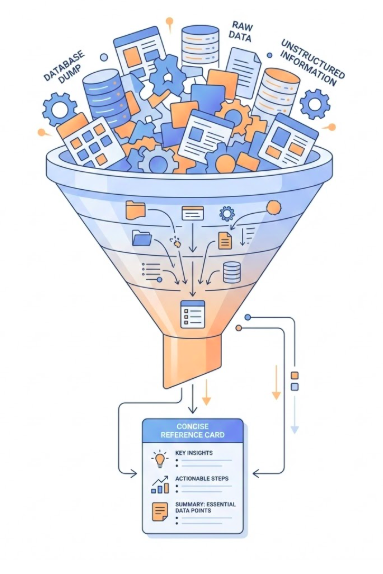
Figure 10: A funnel filtering a large database dump into a single concise reference card’

Figure 10: A funnel filtering a large database dump into a single concise reference card’
  • Use References: Return a table_name or file_path instead of raw data.
  • Error Messages: Make them descriptive. Tell the agent how to fix the error.

Key Takeaways

  1. Documentation is Critical: The documentation is the prompt.
  2. Describe Actions, Not Implementations: Tell the model what to achieve, not strictly how to call the API.
  3. Publish Tasks, Not API Calls: Wrap your entire API surface. APIs are for developers. Tools are for agents.
  4. Design for Concise Output: Return summaries or references.
  5. Error Messages: If it fails, don’t just say “Error 500”. Guide the agent to self-correct.