Module 1 - Session 4: Working with Tensors
Session 4
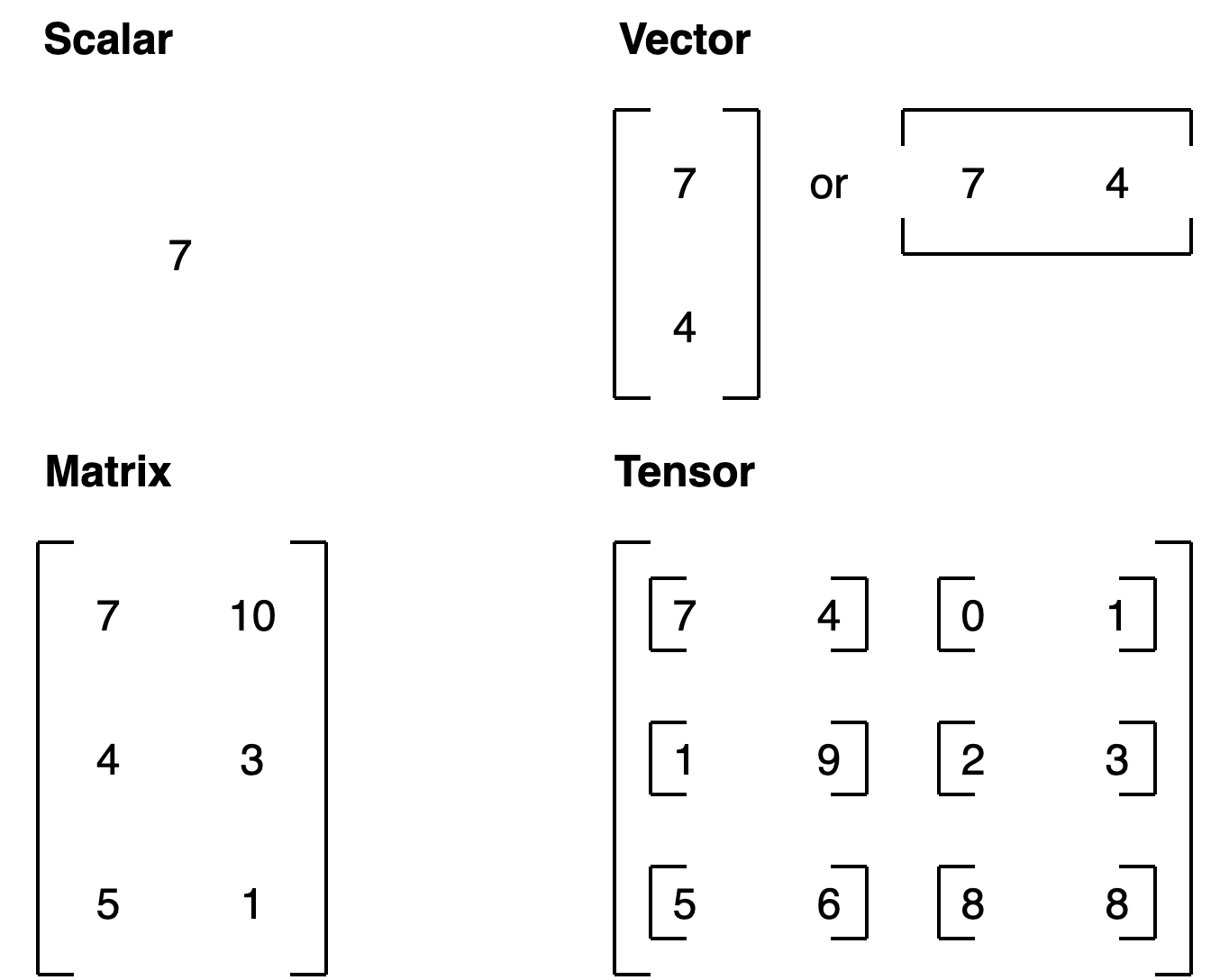
What are Tensors?
Tensors are the core Data Structure in PyTorch
Images as Tensors
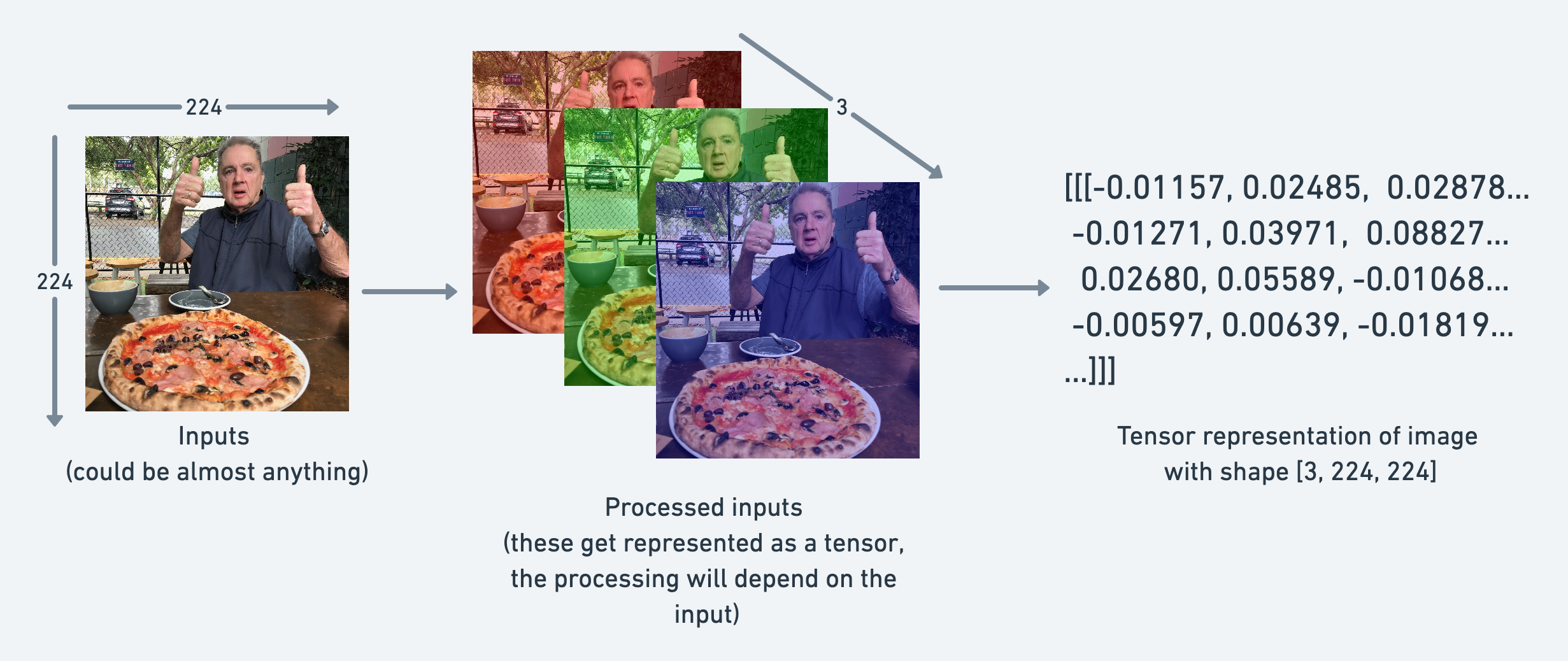
PyTorch convention ordering for images is: (channels, height, width).
Why Learn About Tensors?
Many PyTorch errors come from tensor issues
- Shape mismatches
- Data type problems
- Device mismatches
Master tensors now, avoid frustration later
Understanding Shapes
[6, 1] means:
- 6 samples (batch size)
- 1 feature per sample
Shape mismatches = most common PyTorch errors
Why Batch Size Doesn’t Cause Problems
Model expects first dimension = batch size
Think of it like a stack of papers:
- Model reads each page the same way
- Whether 6 pages or 600 pages
- First dimension = how many
- Rest = what each sample looks like
Data Types
For neural networks: float32 is the sweet spot
Creating Tensors
From Python lists:
From NumPy:
Built-in patterns:
Reshaping Tensors
Common error: forgetting the batch dimension
Adding Dimensions
Always check shape before using unsqueeze()
Indexing and Slicing
.item() only works on tensors with exactly one element
Multiple Features
Element-Wise Operations
Same operation applied to all elements at once
Broadcasting
Broadcasting is a powerful mechanism in PyTorch and NumPy that allows you to perform arithmetic operations on tensors of different shapes without manually duplicating data in memory. It makes your code faster and more memory-efficient by vectorizing operations in C rather than Python loops.
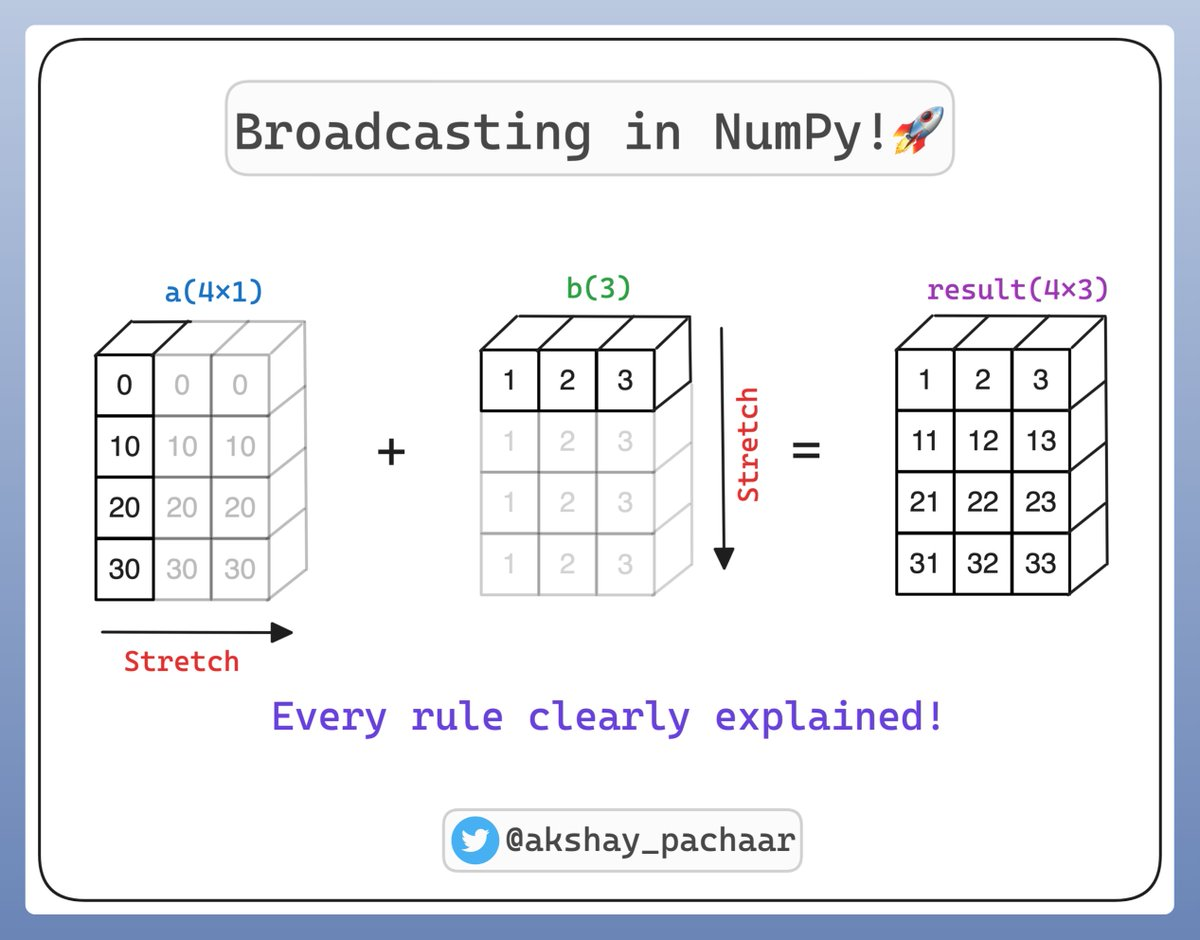
Broadcasting: Example
Problem: Want to apply different adjustments to different features
Solution: Broadcasting automatically expands dimensions
How Broadcasting Works
Rule: When one dimension is 1 and the other is larger, PyTorch expands the smaller dimension
Example:
[1, 3]×[3, 1]→ both become[3, 3][1, 1]×[1, 3]→ first becomes[1, 3]
Module 1 Summary
You’ve learned:
- Why PyTorch exists and what makes it special
- How neural networks learn from data
- The complete ML pipeline
- Building and training your first model
- Activation functions for non-linear patterns
- Working with tensors (shapes, types, operations)
Lab 3: Tensors: The Core of PyTorch
“For the things we have to learn before we can do them, we learn by doing them.”
CUE: START THE LAB HERE
Assignment 1: Deeper Regression, Smarter Features
“What I cannot create, I do not understand.”
CUE: START THE ASSIGNMENT HERE
What’s Next?
In Module 2: Image Classification we learn:
- Tackle classification problems
- Dive deeper into how neural networks learn
- Build your first image classifier
